
A sports media team can record hundreds of hours of footage in a season. The challenge starts after the final whistle. Editors need the winning shot, social teams need a vertical highlight, producers need the full replay, and rights staff need to know which clips can be shared. Without a clear system, valuable video gets lost in folders, drives, and message threads.
Video content management software helps teams store, organize, search, review, and share video assets. Some tools focus on media libraries, while others help produce live clips or discover sports moments. The right choice depends on where your workflow slows down.
What Sports Media Teams Need From Video Content Management Software
A useful system should make footage easier to find and safer to use. It should also fit the way your team already records, edits, approves, and publishes content.
Search that goes beyond file names
A folder called “Final Match” does not help much when an editor needs a specific goal from the second half. Look for metadata, tags, transcripts, time-based search, and filters for teams, players, events, or dates. AI search can help, but check how it creates tags and whether staff can correct them.
Access, rights, and review controls
Different people need different access. Editors may need original files, while social teams may only need approved exports. Check user roles, version history, review notes, permission records, and sharing controls. For sports footage, also confirm how the system helps staff track licensing and usage restrictions.
Formats and publishing workflows
A single match can produce a full replay, short highlights, vertical clips, sponsor edits, and archive footage. Choose software that supports your output needs and connects with your editing tools and publishing channels. Do not assume every platform includes every feature.
5 Video Content Management Software Options for Sports Media Teams
These tools serve different needs. Some manage large media libraries, while others focus on live production, sports highlights, or fan contributions. Compare them against your actual workflow rather than treating them as identical products.
1. Vupop. Discover and Work With Fan-Created Sports Videos
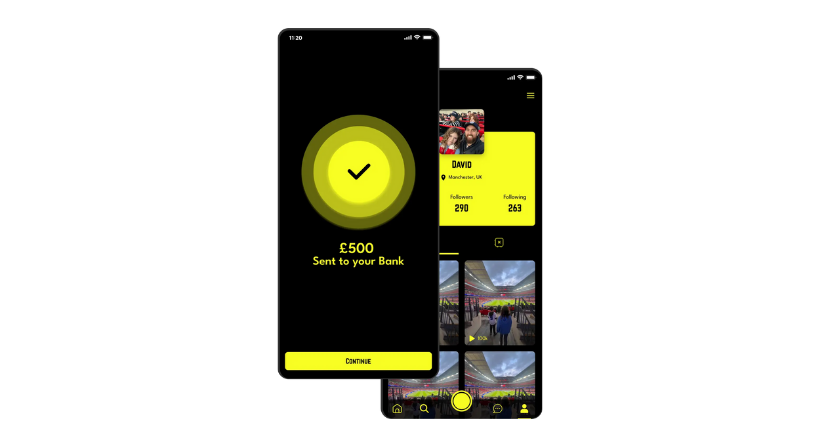
Vupop serves a different but valuable part of the sports video workflow. It connects fans, broadcasters, and brands through fan-created sports content. Rather than acting as a full archive for every production file, it gives organizations a way to discover fan moments that may be relevant to coverage or campaigns.
For example, a broadcaster covering a basketball final may want authentic crowd reactions, while a cricket media team may look for celebrations or scenes around the ground. Any use still requires the right permissions and a review of the content.
Best for: Broadcasters and brands looking to discover fan-created sports videos.
Check before choosing: Submission process, content review, licensing terms, usage permissions, and how selected clips fit into your existing media workflow.
2. Iconik. Manage and Search a Growing Media Library
Iconik is a media asset management platform for teams that need to organize assets across cloud and on-premises storage. Its published features include AI metadata, contextual search, collaboration, review, and publishing workflows.
For a sports media team, this can help make archived interviews, match footage, graphics, and finished edits easier to locate. Iconik also describes integrations with creative tools, so teams can work with assets without moving every file into a new storage system.
Best for: Broadcasters, clubs, and production teams managing large or spread-out media libraries.
Check before choosing: Storage costs, integrations, metadata setup, user permissions, and how well search works with your own footage.
3. WSC Sports. Turn Sports Footage Into Highlights
WSC Sports focuses on sports content automation. Its platform describes AI-based analysis of sports video, event detection, metadata enrichment, automated content creation, and asset management.
This can help teams create clips from live or archived footage and prepare different formats for fan channels. It is especially relevant when speed matters and a media operation needs to produce many highlights across games, teams, and platforms.
Best for: Sports leagues, rights holders, and broadcasters producing high volumes of highlights.
Check before choosing: Supported competitions and feeds, editorial control, integrations, and whether its automation matches your sport and content needs.
4. Grabyo. Produce and Publish Live Sports Video
Grabyo offers cloud-based live video production, clipping, and distribution. Its tools support browser-based production, remote collaboration, real-time clips, and multiple output formats.
A broadcaster can use this type of workflow to cut a key moment and publish it while the match is still being discussed. Teams can also create different versions for digital channels without relying on a traditional on-site production setup for every task.
Best for: Broadcasters and sports organizations producing live shows, highlights, and social video.
Check before choosing: Live feed requirements, output destinations, production roles, latency, and pricing for the scale of events you cover.
5. Vimeo Enterprise. Host and Manage Video Content
Vimeo Enterprise provides a secure video library, team management, access controls, analytics, and live and on-demand video features. It is designed for organizations that need to manage
and deliver video to selected audiences.
Sports teams may find it useful for internal libraries, sponsor presentations, media resources, training, and private video sharing. It is not the same as a specialist sports highlight system, so assess whether it covers your editing and archive needs.
Best for: Organizations that need secure hosting, controlled sharing, and video analytics.
Check before choosing: Enterprise pricing, storage and bandwidth limits, integrations, and whether the plan includes the controls your team requires.
How to Choose the Right System for Your Team
The best software is not necessarily the one with the longest feature list. Start by mapping how footage moves from capture to publication. Identify where staff lose time, then test whether a tool fixes those problems.
Map your video workflow
Write down each step: ingest, tagging, search, editing, approval, rights checks, delivery, and archiving. Ask editors, producers, social managers, and rights staff where delays happen. Their answers will show whether you need a media library, live production tool, automated highlights, or fan-content discovery.
Test with real sports footage
Do not judge a platform using a perfect demo library. Upload a sample of your own match footage, interviews, and clips. Try to find a specific play, check the metadata, share a review link, and export the format your team uses. Include busy match days in your test.
Review security and ownership
Ask who can access original files, whether links can be restricted, how long assets are retained, and how the provider handles data. Confirm that your organization has the rights to upload and use each asset. A management tool does not grant copyright or broadcast rights.
Calculate the full cost
Compare subscription fees with storage, transfer, setup, training, integrations, and support. A lower starting price may not cover the users or capacity you need. Ask vendors to explain extra charges before signing.
Make Fan Footage Part of the Content Workflow
Professional cameras capture the action, but supporters often record the atmosphere around it. A useful platform for fan videos can help teams explore this additional source of material. The quality and rights still need review before any clip is used.
Fans can improve the range of stories a team tells. Clear filming techniques can make submissions easier to review, while guidance on how to film the event like a professional can help supporters capture steadier footage.
Teams may also want to understand how creators edit videos to get more views or find ideas for sports content that actually goes viral. These resources can improve content quality, but no editing trick guarantees reach.
Build a Workflow That Finds the Moment
A great sports clip loses value when nobody can find it, approve it, or deliver it in time. Choose software around the work your team needs to complete, and test it with real footage before making a long-term commitment.
If fan-created moments are part of your coverage strategy, explore fan video creation and learn how to earn from fan-generated sports content. Vupop helps fans share original sports moments, while organizations can explore how to monetise sports videos, improve their sports videography, become a sports creator or create content with just a phone. Explore Vupop for
Broadcasters to see how fan-created footage could add another perspective to your sports media workflow.
FAQs
What is video content management software?
It is software that helps teams store, organize, search, review, manage access to, and share video files. Some platforms also support editing, live production, analytics, or publishing.
Is video content management software the same as a media asset management system?
The terms often overlap. Media asset management usually refers to organizing and controlling media files and their metadata. Video content management can also include hosting, delivery, collaboration, and publishing.
What should a sports broadcaster look for?
Prioritize fast search, metadata, rights tracking, user permissions, review tools, integrations, and reliable delivery. The right mix depends on whether the team mainly manages archives, produces live clips, or publishes fan content.
Can fan videos be used in official sports coverage?
Only when the organization has the necessary rights and permissions for the planned use. Publicly available footage is not automatically free to reuse.