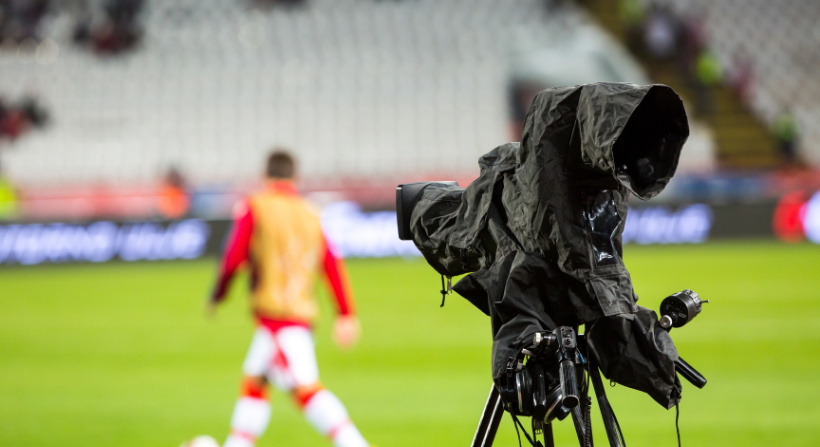

Live sports leave little room for technical mistakes. A delayed replay, missing camera feed, or audio problem can affect the viewer’s experience within seconds. The right broadcast production software helps a crew bring cameras, audio, graphics, replays, and remote contributors into one workflow. Yet choosing a system is not about picking the platform with the longest feature list.
A local club streaming one match has different needs from a national broadcaster covering several leagues. Start with the events you produce, the people who run them, and the places where viewers watch.
- How to Choose Broadcast Production Software for Live Sports: 7 Easy Steps
- Give Your Coverage Room to Grow
- FAQ
How to Choose Broadcast Production Software for Live Sports: 7 Easy Steps
Here’s a step-by-step guide on how to choose broadcast broadcast production software for live sports:
1. Start With Your Production Needs
Before comparing vendors, describe a normal match day. Count your camera sources, list the people in the crew, and note where the programme will appear.
Match the software to your event size
A school or local club may need basic switching, clear audio, score graphics, and a stable stream. A larger production may need replay tools, several commentators, remote feeds, intercom, and a control room workflow.
Separate must-have features from extras
Mark each feature as essential, useful, or unnecessary. Your list may include:
- Switching between several camera sources.
- Replay and slow-motion tools for key moments.
- Scoreboards, lower thirds, and sponsor graphics.
- Audio mixing and commentator controls.
- Streaming to more than one destination.
- Recording a clean programme feed.
2. Check the Main Production Tools
The main job of production software is to help your crew create a steady programme.
Switching, replays, and graphics
The vision mixer should make it easy to move between cameras, replays, and other sources. Ask how quickly an operator can mark a moment and play it back. Test whether score graphics can be updated without interrupting the match feed. Confirm that the system supports the number and type of inputs your production needs.
Audio and commentary
Good pictures cannot rescue poor sound. Check whether operators can balance crowd noise, commentary, interviews, and venue announcements. Find out whether the software supports your current audio equipment.
Formats and streaming outputs
Your programme may need to reach a website, app, social channel, or broadcast partner. Check the encoder settings recommended by YouTube for your stream quality. Ask whether the platform can create separate feeds when viewers need different graphics or commentary.
3. Test Reliability Before Match Day
A live event is the wrong time to discover that a computer overheats or a network link cannot carry the video. Reliability depends on the software, hardware, internet connection, and crew preparation. Test with your cameras, crew, and venue network before you make the purchase.
Prepare for connection problems
Ask what happens if the main internet line drops, a camera feed disappears, or an operator loses access. Your production may need a backup connection, local recording, or a second encoder. Confirm which backup options the software supports and what extra equipment they require.
Check delay and picture quality
Latency is the time between an action happening and viewers seeing it. A short delay can matter for live interaction and coordination with other platforms. Look for dropped frames, audio sync problems, and changes in picture quality when the connection becomes busy.
4. Make the Crew’s Work Easier
A system can be powerful and still be hard to use. During a match, operators need clear controls and a workflow they can repeat without guesswork.
Review training and support
Check how long new operators need to learn the main tasks. Ask about training, clear guides, and live event support. Confirm that support is available during your match schedule.
Consider remote production
Remote production can reduce travel and equipment needs, but it relies on stable feeds. Check support for remote crews, communication tools, and backup plans.
5. Understand the Full Cost
The licence is one part of the budget. You may also need cameras, capture cards, encoders, storage, network upgrades, training, and technical support. Ask vendors to explain which features are included and which cost extra.
Compare:
- Licence fees and the number of users included.
- Hardware you must buy or replace.
- Storage, bandwidth, and extra output costs.
- Training, support, and maintenance fees.
- Costs for adding events, channels, or operators.
Request a quote based on your real event schedule. Compare the total cost over at least two seasons, not just the first month.
6. Connect the Live Show to the Wider Content Workflow
The live programme is only one part of a match’s media value. Teams may also create highlights, interviews, social clips, sponsor edits, and archive footage. Strong sports production techniques help crews capture moments, but the software should also pass approved material to the next stage.
Check how the production system connects with editing tools, media storage, graphics libraries, and publishing platforms. If your team plans live sport streaming, confirm that the system supports the destinations and quality levels your audience expects.
Keep rights and permissions clear
Sports footage may be subject to league, team, venue, music, player, or sponsor agreements. Before using a clip outside the live programme, check who owns it and where it can be shown.
Understand how sports broadcasting rights affect replays, highlights, and online distribution.
7. Plan for Fan Footage Too
Supporters often capture moments that official cameras miss. Their reactions, celebrations, and views from the stands can add a personal layer to coverage. However, a production switcher is not automatically a fan-submission or licensing system. Decide how clips will be collected, checked, approved, and delivered to the production team.
A clear process for fan content in live production helps prevent unreviewed footage from reaching the programme.
Choose a route for sourcing fan clips
If fan footage is part of your coverage, consider how broadcasters source fan content at scale. A dedicated platform can collect submissions and manage the contributor process, while production software handles the live show.
Give Your Coverage Room to Grow
The right system should fit the match you produce today and leave space for next season. Test it with your crew, measure reliability, and compare the full cost before signing a contract. Then look beyond the main camera feed. Fan reactions and personal match-day moments can give viewers another reason to feel part of the action.
For broadcasters who want to bring those perspectives into sports coverage, Vupop offers a dedicated way to discover and manage fan-generated footage. Explore Vupop is for broadcasters who want to add authentic supporter content to their wider production workflow.
FAQ
What does broadcast production software do?
It helps a crew produce a live programme by managing video sources, switching, graphics, audio, replays, recording, and output feeds.
Do small sports clubs need professional software?
Not always. A club with one camera and a simple stream may only need a basic production tool. Choose a system that matches your crew size, budget, and coverage plans.
Is cloud production better than an on-site setup?
Neither is always better. Cloud tools can support remote teams and reduce some local equipment needs. On-site systems offer direct control and may suit venues with limited internet.
Can production software collect fan videos?
Some systems accept external media, but collection, contributor consent, and licensing are separate needs. Check whether the product includes these functions or whether you need a dedicated service.